
How people opt in to texts
Last updated October 29, 2026
The Maintenance Line LLC (“The Maintenance Line / TML Workspace”) sends non-marketing texts about building repair requests. Nobody gets texts unless they opt in themselves on one of the screens below. Every checkbox starts unticked, and opting in is never a condition of service. Program terms: tmlworkspace.com/terms#sms. Privacy: tmlworkspace.com/privacy#sms.
1. Vendors and contractors: job texts
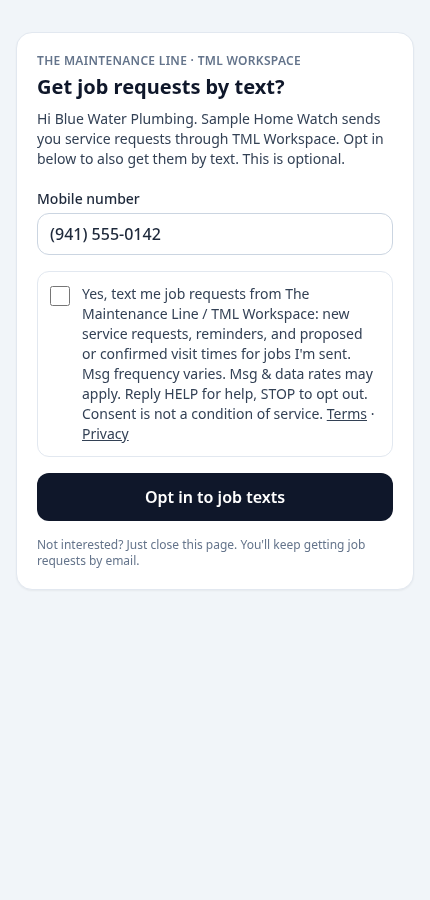
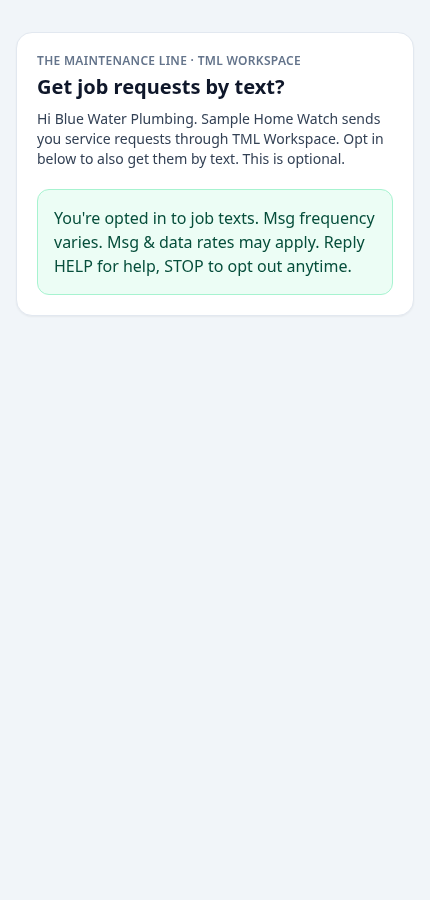
When a business adds a vendor, the property manager shares that vendor’s personal opt-in link with them, for example by email or directly. The link opens tickets.themaintenanceline.com/v/opt-in/…, which shows the vendor’s mobile number and this unticked checkbox. Texting starts only after the vendor ticks it and taps “Opt in to job texts.” A business can’t opt a vendor in for them. We save the exact wording, the time, the IP address and the device for each opt-in. A sample of the page (it saves nothing): tickets.themaintenanceline.com/v/opt-in.
Yes, text me job requests from The Maintenance Line / TML Workspace: new service requests, reminders, and proposed or confirmed visit times for jobs I'm sent. Msg frequency varies. Msg & data rates may apply. Reply HELP for help, STOP to opt out. Consent is not a condition of service. Terms · Privacy
2. People who send a repair request: request updates
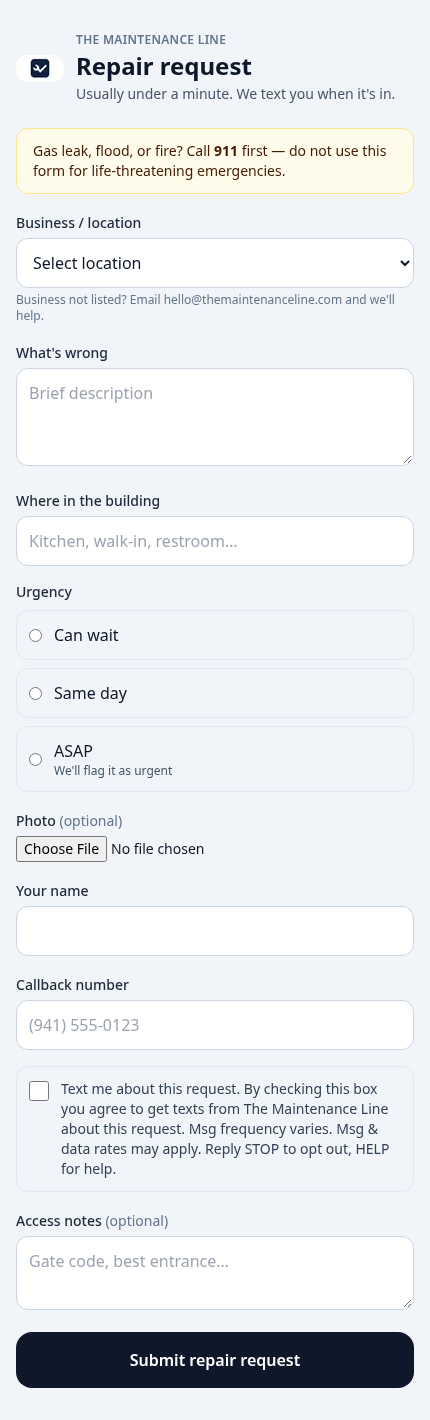
The public repair form at tickets.themaintenanceline.com has this optional, unticked checkbox under the callback number:
Text me about this request. By checking this box you agree to get texts from The Maintenance Line about this request. Msg frequency varies. Msg & data rates may apply. Reply STOP to opt out, HELP for help.
3. Workspace users: ticket alerts
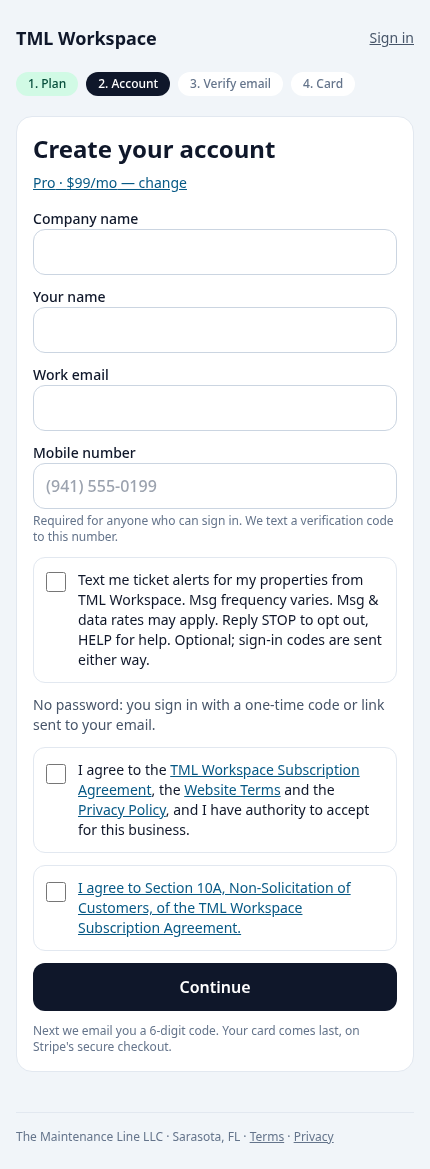
People signing up at app.tmlworkspace.com/signup, or later in Settings, can tick this optional box. Every login also gets one-time sign-in codes by text at the mobile number they enter. Signup says so next to the number.
Text me ticket alerts for my properties from TML Workspace. Msg frequency varies. Msg & data rates may apply. Reply STOP to opt out, HELP for help. Optional; sign-in codes are sent either way.

4. Stopping texts and getting help
Reply STOP to any text to opt out. Reply HELP for help, email [email protected], or call (941) 957-9838. Message frequency varies. Message and data rates may apply. We never sell or share mobile numbers or opt-in data for marketing.